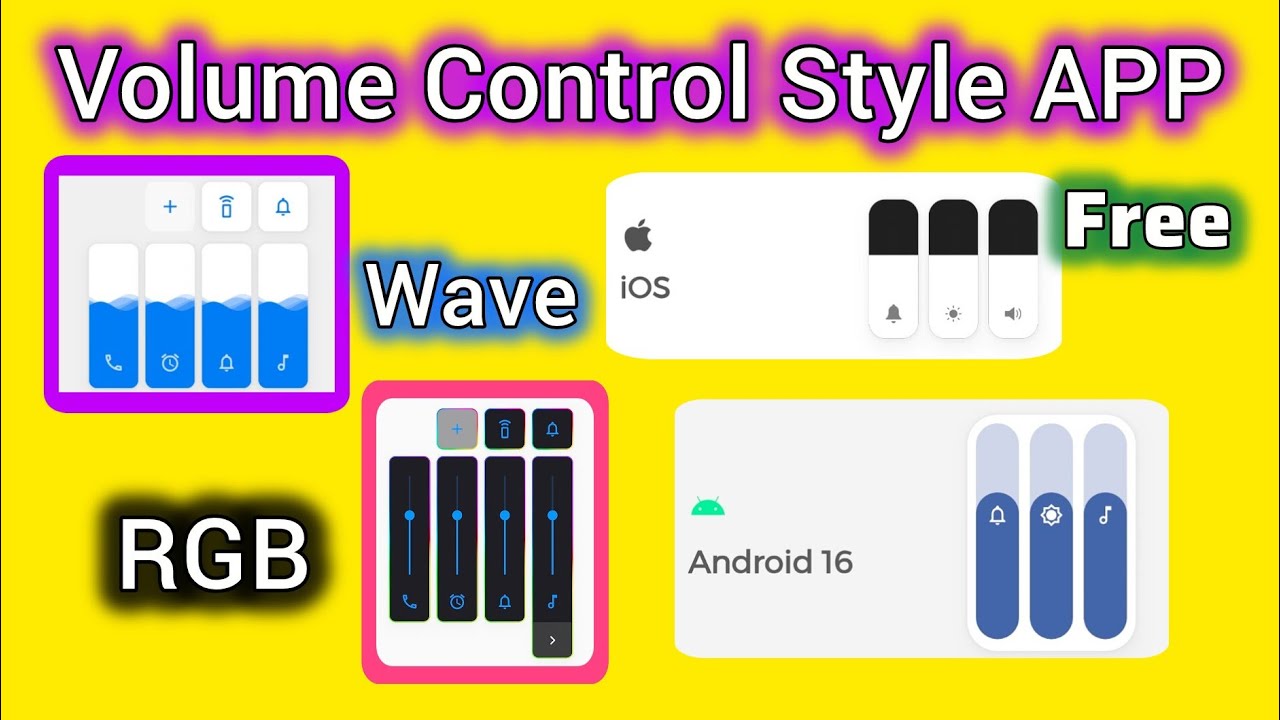
Smartphones have become an essential part of daily life, and controlling audio quickly is important whether you’re listening to music, watching videos, playing games, or taking calls. While Android includes a built-in volume panel, many users find it too basic and lacking customization options. This is where Volume Styles – Custom Volume Control becomes a useful solution.
Volume Styles is an Android customization app that completely transforms your phone’s volume panel. Instead of using the default Android slider, the app allows you to apply stylish themes, customize colors, change slider positions, and control multiple audio streams from one beautiful interface. It gives your device a premium look while making volume management easier and more efficient.
Whether you own a Samsung, Xiaomi, Vivo, Oppo, Realme, Motorola, OnePlus, Google Pixel, or any other Android smartphone, Volume Styles provides a modern and personalized audio control experience.
What is Volume Styles – Custom Volume Control?
Volume Styles is a personalization application designed for Android users who want more control over their device’s volume interface. Rather than changing how your speakers work, it changes the appearance and functionality of the volume panel that appears when you press the physical volume buttons.
The app allows users to customize:
- Media volume
- Ring volume
- Notification volume
- Alarm volume
- Voice call volume
- Bluetooth audio volume
- Accessibility volume (supported devices)
Instead of the plain Android design, you can enjoy stylish sliders inspired by Android 12, Android 13, Android 14, iOS, Samsung One UI, MIUI, OxygenOS, and many other designs.
Why Use Volume Styles?
Many Android users customize wallpapers, icons, widgets, and lock screens but forget about the volume panel they use every day.
Volume Styles improves:
- Appearance
- Accessibility
- Faster audio management
- Better user experience
- Personalization
- Convenience
The app combines beautiful design with practical functionality.
Main Features
1. Beautiful Volume Panel Themes
The biggest attraction of Volume Styles is its large collection of themes.
Users can choose from designs inspired by:
- Android Stock
- Android Material You
- Samsung One UI
- MIUI
- iOS Style
- OxygenOS
- EMUI
- ColorOS
- Realme UI
- Pixel UI
Each style offers a different visual experience.
2. Complete Volume Customization
Users can personalize nearly every part of the volume slider.
Customize:
- Background color
- Accent color
- Slider color
- Transparency
- Rounded corners
- Animation effects
- Icon style
- Panel size
- Screen position
This level of customization makes every phone feel unique.
3. Multiple Volume Controls
Instead of opening settings repeatedly, users can manage several audio streams directly.
Control:
- Media
- Notifications
- Calls
- Alarm
- Bluetooth
- Accessibility
- System sounds
Everything is available in one elegant panel.
4. Floating Volume Panel
Users can decide where the panel appears.
Choose:
- Left side
- Right side
- Top
- Bottom
- Center
The position can be adjusted to match one-handed usage.
5. Gesture Support
Some versions include gesture shortcuts.
Examples include:
- Swipe up
- Swipe down
- Double tap
- Long press
These shortcuts make volume adjustment even faster.
6. Smooth Animations
Volume Styles includes modern animation effects.
Animations include:
- Fade
- Slide
- Bounce
- Zoom
- Material transitions
The interface feels smoother than the standard Android volume control.
7. Quick Access Controls
Some themes provide quick buttons for:
- Silent mode
- Vibrate mode
- Do Not Disturb
- Mute media
- Sound settings
These controls save time.
8. Dark Mode Support
Users who prefer dark themes can enable:
- Dark Mode
- AMOLED Black
- Automatic Day/Night
This reduces eye strain while matching system themes.
Benefits of Using Volume Styles
Better User Experience
The default Android volume panel is functional but basic.
Volume Styles offers:
- Cleaner design
- Faster controls
- Better visibility
- Improved accessibility
Personalization
Android is famous for customization.
Volume Styles lets users personalize one of the most frequently used interfaces.
Faster Audio Management
Instead of navigating through multiple settings menus, everything appears instantly after pressing the volume key.
This saves time throughout the day.
Professional Appearance
Custom themes give smartphones a premium flagship appearance.
Many users install the app simply because it makes Android look more modern.
Compatibility
Volume Styles supports most Android devices.
Popular brands include:
- Samsung
- Xiaomi
- Redmi
- Poco
- Vivo
- Oppo
- Realme
- OnePlus
- Motorola
- Nokia
- Sony
- Asus
- Huawei (supported versions)
- Honor
- Google Pixel
The app generally works on Android 8.0 and newer versions, though features may vary by device and manufacturer.
How to Install Volume Styles
- Open the Google Play Store.
- Search for Volume Styles – Custom Volume Control.
- Install the app.
- Launch the application.
- Grant the requested accessibility permission if needed for full functionality.
- Choose your preferred volume panel theme.
- Customize colors, animations, and layout.
- Save your settings and enjoy the new interface.
Permissions Explained
Depending on your Android version, the app may request:
- Accessibility Service (to display and customize the volume overlay)
- Notification Access (optional features)
- Display Over Other Apps (to show the custom volume panel)
Grant only the permissions you are comfortable with and review them in Android settings at any time.
Best Use Cases
Volume Styles is especially useful for:
- Music lovers
- Mobile gamers
- Students
- Professionals
- Content creators
- Users who enjoy Android customization
- Anyone who frequently adjusts audio settings
Tips for the Best Experience
- Choose a theme that matches your launcher and wallpaper.
- Use dark mode on AMOLED displays to save battery.
- Keep the app updated for new themes and bug fixes.
- Test different slider positions to find the most comfortable layout.
- Combine Volume Styles with icon packs and custom widgets for a complete personalized Android experience.
Conclusion
Volume Styles – Custom Volume Control is one of the best Android personalization apps for users who want more than the standard volume panel. With stylish themes, customizable sliders, modern animations, quick audio controls, and support for multiple Android brands, it transforms a simple everyday function into a polished and enjoyable experience.
Whether you’re customizing your device for aesthetics or looking for quicker access to volume settings, Volume Styles offers a practical and visually appealing solution. It is lightweight, easy to use, and suitable for both beginners and advanced Android users who want greater control over their smartphone experience.